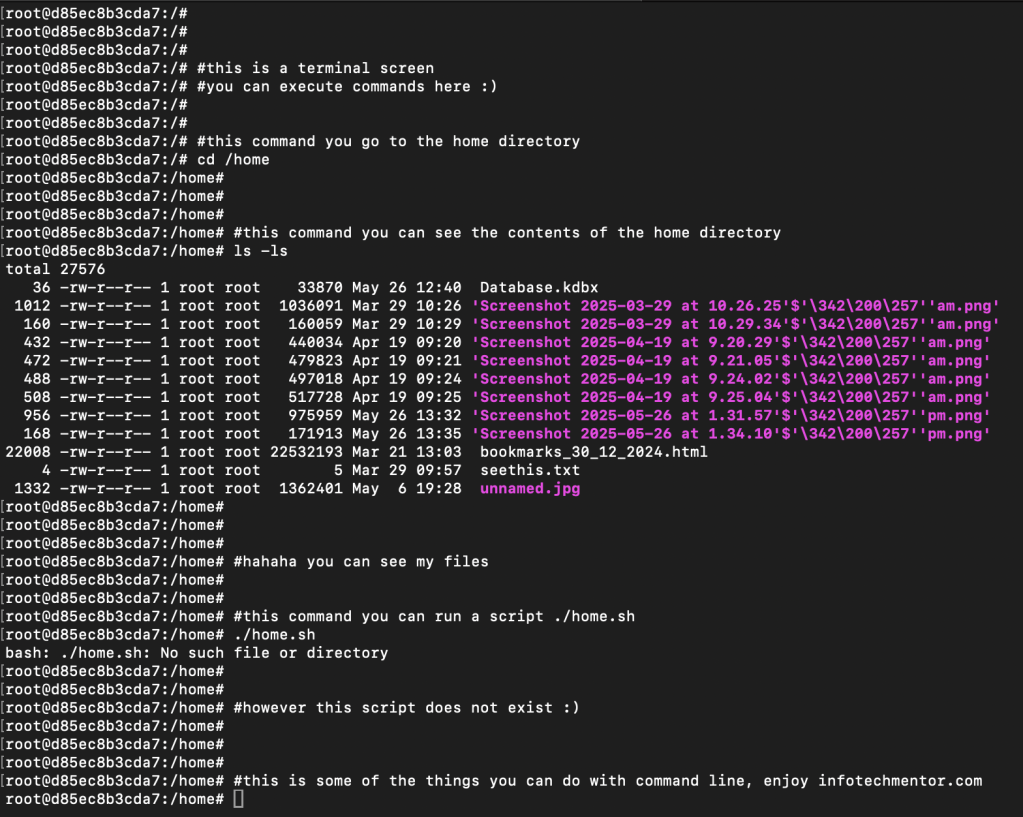
This post is an entry / intro to those wanting to learn some basic linux commands. Refer to screenshot below on some command line examples from my MAC terminal.
Summary:
- #
- If you add # at the start of the command (e.g. #this is a hash) line, the command window just saves the data onto the terminal
- It doesn’t do anything
- If you add # at the start of the command (e.g. #this is a hash) line, the command window just saves the data onto the terminal
- cd /
- Means to change directory
- ls -ls
- Means to show all contents in the directory and show other meta data of the files
- ./home.sh
- home.sh is a bash script
- When you run bash scripts (usually ending in .sh or can be another file extension .rb (ruby), .py (python) etc) you’re executing an action / event
- Bash scripting allows IT users to code different functions
- E.g. send report, output report, perform automated restarts of the system etc
- Bash scripting allows IT users to code different functions
- There are plenty of examples online of other command line actions+events
- One take away I can suggest is not to run a command you are not sure on 🙂
- Maybe best to ask a developer or the IT user that wrote that script
 Alt+Ctrl+Start